Loading app
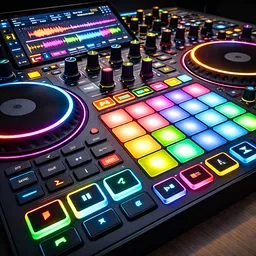
Transform your Android device into a powerful DJ mixing studio with DJ Music Mixer. This app allows you to blend tracks, apply effects, and record your mixes, making it perfect for both beginners and seasoned DJs. Whether you're preparing for a party or just experimenting with sounds, you can create unique remixes with ease.
Manage two tracks simultaneously with the dual-deck interface, which serves as your control center. Load songs directly from your device's music library and explore mixing. You can adjust playback settings and navigate through your music quickly, making it suitable for both short sessions and extensive creative endeavors.
This app supports Android phones, Chromebooks, and tablets, allowing you to mix on any of these devices. The touch-optimized design ensures a smooth experience across all platforms, making it accessible for a wide range of users.
While DJ Music Mixer is free to download, it may include in-app purchases. You can start using the app right away without creating an account, allowing for immediate access to mixing features. Just keep in mind that the app may display ads, which is common in many free applications.
The app provides essential tools like sound-effect pads, volume and bass boosters, and equalizer controls to refine your mixes. You can easily record your sessions, enabling you to save and playback your remixes, making it a valuable tool for casual users and aspiring DJs alike.
Experiment with mixing familiar tracks and applying creative effects. The user-friendly interface encourages exploration and empowers you to discover your unique sound while keeping all necessary controls within easy reach.
The app primarily accesses music stored on your device, so you won't be able to directly mix songs from Spotify or other streaming services.
DJ Music Mixer works on Android phones, Chromebooks, and tablets, making it versatile for various users.
Yes, while the app is free to download, it may have in-app purchases for additional features or content.
Absolutely. DJ Music Mixer allows you to record your mixing sessions, enabling you to save and play back your remixes.
The app offers sound-effect pads, equalizer controls, and volume boosters, all designed to enhance your mixing experience.
New improvements and bug fixes
Released Aug 11, 2024
Not sure what a permission allows? Learn what these mean.
Decibel Meter is an application for measuring sound volume in decibels(dB).
GPS Offline Speedometer tracks speed, distance, time, km/h, & mph on the map
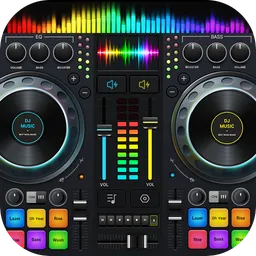
DJ Music Mixer - DJ Remix: remix songs, make beat music & record mix of DJ.

Remix songs, make music & record mixes on the go with edjing Mix - Music DJ app