
Loading app
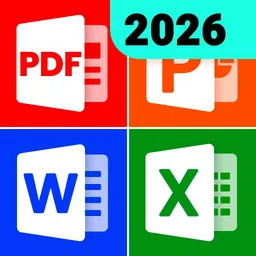
Managing various document formats on your phone can be challenging. This app helps you open, edit, and organize files like PDFs, Word documents, Excel spreadsheets, and more. If you need a versatile tool for document handling, this free app offers the functionalities you require in a single platform.
This app simplifies the process of managing multiple document formats. Instead of juggling different apps for PDFs, Word files, and Excel spreadsheets, you can perform all these tasks in one place. It's particularly useful for students, professionals, and anyone who needs to access and edit documents on the go.
Upon launching the app, you'll find a well-organized layout displaying all your files. Begin by selecting the type of document you want to open or edit. You can search for specific files or quickly access your favorites. Trying out the PDF editing tools first can give you a good sense of the app's capabilities.
To function properly, the app requires permissions to access external storage for reading and editing documents. It can work offline, which means you do not need an internet connection to manage your files. While the app is free, be aware that it may offer additional features through in-app purchases.
After opening the app, you will see all your documents categorized by type. Selecting a document allows you to view it, and you can switch to editing mode with ease. The app facilitates highlighting text, adding comments, and converting files between different formats, making document management more efficient.
A core capability of this app is its advanced PDF editing functions. You can edit text, add e-signatures, and annotate documents effortlessly. The app also supports converting images to PDF and vice versa, which is essential for those who frequently work with PDFs.
Yes, the app is free to download and use, though it may include in-app purchases.
Yes, the app works offline, allowing you to manage your documents without an internet connection.
This app is compatible with phones, Chromebooks, and tablets running Android.
Yes, you can convert images to PDF and vice versa, among other format conversions.
It requires permissions to read and modify files on your device, as well as access to your external storage.
🚀 New Features: More Powerful Document Tools! 📄 PPT to PDF: Convert PPT files to PDF for easier sharing and reading 🤖 AI Filter: Automatically enhance images for improved clarity ✅ Experience Improvements ✨ Fixed known issues and improved overall experience
Released Jun 15, 2026
Not sure what a permission allows? Learn what these mean.

Simple notepad & memo. Take notes, to-do list, shopping list with reminders.
This easy PDF Converter is a photo to PDF tool with strong PDF compress support.
PDF Reader - All PDF file, document read & manage by PDF Viewer for android fast
Useful bass booster, equalizer, volume booster to bring you louder and HD sound
One-Tap Voice Recorder & Voice Memos - transcribe speech and record HD audio.
Fast, Simple QR code scanner & barcode scanner. Scanner app for all formats!
Word Document - DOCX Reader, PDF Editor, XLSX, PPT, TXT. DOCX to PDF converter.

All document reader, all in one file viewer read PDF, DOCX, XLS, PPT, TXT files.
Office Suite. Easy All Document Reader & Viewer: PDF, DOCX, XLSX, PPT, TXT