
Loading app
Manage your Google Pixel Watch directly from your Android device with this app. It allows you to customize watch faces, set up Google Assistant, and handle notifications. If you want to get the most out of your smartwatch, downloading this app is essential.
This app is tailored for users of the Google Pixel Watch. It is particularly helpful for those looking to enhance their smartwatch experience, offering tools to customize settings and streamline notifications. If you own a Pixel Watch, this app is a crucial companion for managing its features.
You can easily customize watch faces to match your style, manage tiles for quick access to apps, and set alerts for notifications. The app also allows you to manage your Google apps and accounts, install new apps, and configure mobile carrier settings available for selected countries and carriers.
Once you download the app, connect it to your Pixel Watch. It requires permissions for access to your contacts and location. After establishing the connection, you can customize alerts and manage apps directly from your wrist.
Privacy settings can be effectively managed within the app. It needs access to certain data, including contacts and location, to function correctly. You have control over what information is shared, helping to maintain your privacy.
The Google Pixel Watch is available only in select countries, including the US, Canada, and parts of Europe and Asia. Ensure your device is compatible and that you're in one of the supported regions before downloading. Additionally, some features may vary depending on your mobile carrier.
This app is free to download and use, with no hidden costs.
This app is designed for use with Google Pixel Watches and requires an Android device running Android 8.0 or higher.
While some features require an internet connection, basic functionalities like customizing watch faces can be accessed offline.
You can manage your privacy settings within the app, including what data is shared and how alerts are received.
Updates for the app are typically managed through the Google Play Store on your Android device.
Welcome to your new Google Pixel Watch. Use the device app to set up and customize your watch settings including watch faces, tiles and notifications.
Released Jun 8, 2026
Not sure what a permission allows? Learn what these mean.
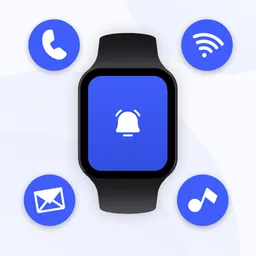
Wear OS & SmartWatch app: Sync and Get all notifications on your Smart Watch.
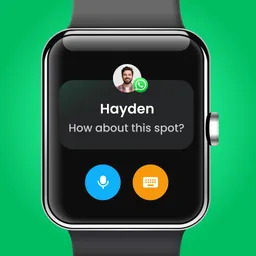
Sync phone notifications to your smartwatch. BT notifier for Wear OS smart watch


