
Loading app

This app serves as a versatile mobile office suite, enabling you to create, edit, and manage Word documents, Excel spreadsheets, and PowerPoint presentations on your Android device. With powerful PDF management capabilities, it allows you to view, edit, and sign PDF files, making it a valuable tool for professionals and students alike.
MobiOffice addresses the need for a comprehensive office solution on mobile devices. Typical users range from business professionals needing to edit documents on-the-go to students requiring access to their assignments and projects. The app's compatibility with multiple formats, including Microsoft Office and Google Docs, ensures you can work with whatever files you encounter.
You can access a free trial for seven days, which provides full access to premium features. After the trial, flexible subscription plans are available, allowing you to choose monthly or annual options. The app integrates with popular cloud storage services like Google Drive and OneDrive, making file access easy from any device. It requires permissions to manage files stored on your device and establish network connections.
Upon opening the app, you can create or upload documents directly from your cloud storage accounts. The user-friendly interface guides you through editing features such as formatting text, inserting images, and using formulas in spreadsheets. You can also convert your documents to PDF format or edit existing PDFs, including filling out forms and signing documents digitally.
This app requires several permissions for optimal functionality. It needs access to your device's storage to read and modify files, and network permissions to connect to cloud services. Additionally, it can create accounts and manage passwords, which is helpful for linking to various storage accounts. Understanding these permissions enhances the app's utility and allows for a better user experience.
This app supports a wide range of formats, including Microsoft Word, Excel, PowerPoint, Google Docs, and PDF files.
You can create and edit documents offline, but cloud features will require an internet connection to access files from services like Google Drive.
You receive 5GB of free storage on MobiDrive, plus you can link other cloud services for additional space.
The app offers monthly and annual subscription plans, providing flexibility depending on your usage needs.
The current release of the app is regularly updated to enhance functionality and add new features based on user feedback.
View mode navigation in PDF & Docs - Switch views or share your doc quickly.
Released Jul 24, 2026
Not sure what a permission allows? Learn what these mean.
Read, View & Manage Your Documents - PDF, Word, Excel & PPT in One App.
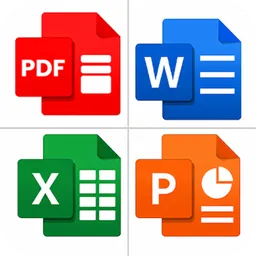
All Docs Opener: Read PDF, Word, Excel, & PPT with Document Reader & Viewer
