
Loading app
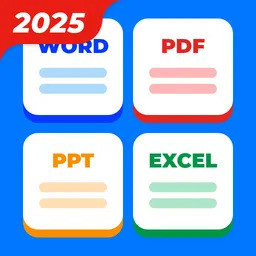
Manage your documents effectively with PDF Reader Point. This versatile app allows you to view and edit PDF, Word, PowerPoint, and Excel files directly on your Android device. With capabilities such as annotation, merging, and scanning documents into PDF format, this app serves a wide range of users from students to professionals. Experience enhanced document handling today.
PDF Reader Point simplifies the handling of various document formats. You can easily view and annotate PDFs, Word, PowerPoint, and Excel files. Highlighting, underlining, and doodling tools make it easy to emphasize important sections, making it a practical choice for anyone working with digital documents.
The app operates smoothly on both phones and tablets, ensuring you can access your documents wherever you are. The interface is designed for easy navigation, adapting well to larger screens while maintaining functionality across devices. This compatibility is vital for users who switch between devices throughout their day.
To function properly, the app requests permissions for accessing USB storage and network connections. These permissions allow you to read, modify, and manage files effectively, as well as check your license with Google Play. Understanding these permissions can help ease any concerns about privacy.
You can combine several PDF files into one or split a single PDF into separate pages. This feature is particularly useful for organizing content or sharing specific information without the need to send entire documents. Tailor your document management according to your needs.
With the scan-to-PDF function, you can capture a photo of a document and convert it into a PDF within the app. This feature is ideal for quickly digitizing important papers and sharing them without needing additional tools, streamlining your workflow.
Yes, the app is free to download and use, although some features may require in-app purchases for full access.
Absolutely, once documents are downloaded, you can access and view them offline whenever needed.
The app works on both Android phones and tablets, providing a uniform experience across different device types.
Yes, this app includes features for annotating documents, such as highlighting, underlining, and adding doodles.
You can rename, delete, share, and bookmark documents within the app, making it easy to keep your files organized and accessible.
No release notes were provided for this version of PDF Reader Point. You are viewing the most recent release available.
Released Oct 28, 2025
Not sure what a permission allows? Learn what these mean.
PDF Reader - All PDF file, document read & manage by PDF Viewer for android fast

Read, Edit, Scan, Convert PDFs and manage documents easily in one app PDF Reader
