APKWorldAPKWORLD.COM
PhotoBoost - AI Photo Enhancer icon

Download PhotoBoost - AI Photo Enhancer APK

Tap AI
4.6(699K)10M downloadsPhotography
Updated
Jun 22, 2026
Format
XAPK
Requires
Android 9+
Rated
Everyone

Screenshots

About PhotoBoost - AI Photo Enhancer

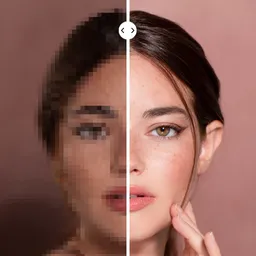
Enhance your photos with PhotoBoost, an AI-powered app that sharpens blurry images and restores pixelated photos. This page provides the official, genuine, unmodified APK for free, allowing you to transform your memories with ease.

What is PhotoBoost - AI Photo Enhancer?

This app uses advanced AI technology to improve photo quality. It addresses common problems like blurriness and pixelation, making it suitable for anyone looking to enhance their photography. You can revive old memories or create unique digital avatars with this effective tool.

Key features

PhotoBoost offers several capabilities:

  • Instantly sharpen blurry images.
  • Restore pixelated photos to enhance clarity.
  • Create AI-generated avatars with a variety of themes.
  • Explore styles tailored for holidays, fantasy characters, and professional portraits.
  • Receive regular updates for fresh avatar themes.

Is it safe and official?

The APK available here is the genuine, official, unmodified version from the developer, Tap AI. Downloading this file ensures a high-quality and secure application directly from the source.

How to download and install the APK

To download and install the APK on your Android device, follow these steps:

  1. Click the download button on this page.
  2. After the download completes, find the file in your device's Downloads folder.
  3. Tap on the APK file to start the installation process.
  4. If prompted, enable installation from unknown sources in your device settings.
  5. Follow the on-screen instructions to complete the installation.

What we like

  • Advanced AI technology for effective photo enhancement.
  • Variety of creative avatar themes.
  • User-friendly interface suitable for all skill levels.

Worth knowing

  • Some features may require an internet connection.
  • Not all devices may fully support the app's capabilities.

Frequently asked questions

Is PhotoBoost free to use?

Yes, PhotoBoost is free to download and use.

Can I use PhotoBoost offline?

The app may require an internet connection for some features, such as accessing new avatar themes.

What devices are compatible with PhotoBoost?

PhotoBoost is compatible with most Android devices that meet the app's requirements.

How often is PhotoBoost updated?

The app receives regular updates to introduce new features and improve existing capabilities.

How do I install the APK on Android?

To install the APK, download it, locate the file, enable unknown sources in settings, and follow the installation prompts.

What's New in the Latest Version 1.87.0

In this version, you’ll find important performance improvements and bug fixes to make your enhancement experience smoother. Enjoy faster processing and improved clarity for all your photo enhancements.

Released Jun 22, 2026

Permissions

SensitiveAccess to personal data or hardware3
Read storage
Read files on your device storage
Modify storage
Modify or delete files on your device storage
Camera
Take pictures and record video
StandardCommon, low-risk permissions3
Network state
View network connection status
Network access
Full network and internet access
Keep awake
Prevent the device from sleeping

Not sure what a permission allows? Learn what these mean.
Downloads

  • 1.87.0LATESTxapk
    code 18701 · Android 9+

Popular in Photography

See All
Google Photos icon
Google Photos

The home for your memories. Relive, share, and organize your photos.

Get
Picsart AI Photo Editor, Video icon
Picsart AI Photo Editor, Video

Remove and swap backgrounds in your photos and remove unwanted objects

Get
Gallery icon
Gallery

Smart, light, and fast photo and video gallery

Get
Video Editor & Maker - InShot icon
Video Editor & Maker - InShot

AI video editor with music! Edit video with effects, slideshow & slow motion

Get
FaceApp: Perfect Face Editor icon
FaceApp: Perfect Face Editor

Natural Beauty, Selfie Retouch

Get
BeautyPlus - Retouch, Filters icon
BeautyPlus - Retouch, Filters

Perfect selfies every time. Auto-beautification for that flawless look.

Get