Loading app
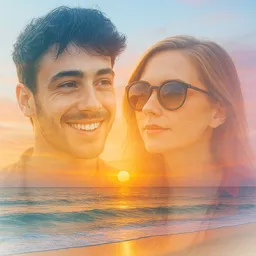
This app allows you to blend, mix, and merge photos with ease, creating unique and eye-catching edits. If you want to enhance your images or create artistic collages, this tool offers a straightforward way to express your creativity without complicated processes.
Combine multiple images into a single composition to create visually appealing photo blends. This app caters to both casual users enhancing their social media posts and serious photographers exploring artistic effects.
Mix and blend two or more photos using advanced capabilities. With options for double exposure and artistic overlays, you can turn your ideas into captivating visuals. The intuitive interface makes applying these effects simple and quick.
Adjust your photos before blending with a complete set of editing tools. This includes cropping and resizing images for the perfect look, as well as the ability to remove backgrounds to create clean compositions.
Choose from a selection of over 800 layouts to design collages that suit your style. This extensive variety supports endless customization, allowing you to experiment with different arrangements and designs to make your edits stand out.
Once you finish your masterpiece, the app allows you to save it in high resolution. This feature preserves the quality of your images, making them perfect for sharing on social media or for printing.
This app works on both phones and tablets, allowing you to blend photos across a wide range of Android devices.
While some features require internet access, you can use the basic editing and blending tools offline once downloaded.
The app is free to use, but it may offer optional in-app purchases for additional features or tools.
Yes, sharing your photo blends on popular social media platforms like Instagram, Facebook, and TikTok is easy from the app.
Regular updates improve functionality and add new features, ensuring users have access to the latest tools.
Performance Improvements We've optimized the app for faster load times and smoother interactions to enhance your experience.
Released Jul 29, 2026
Not sure what a permission allows? Learn what these mean.
Tweak color. Blend images. Remove objects. Create visuals that really pop.
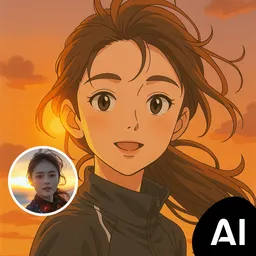
AI photo editor for stunning results, explore artistic filters & effects
One-tap remove objects, logos, text & more with AI Retouch photo editor & eraser