
Loading app
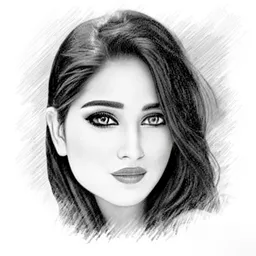
Transform your photos into stunning pencil sketches with this intuitive editor. It's perfect for anyone looking to add an artistic touch to their images without needing advanced skills. You can easily create captivating sketches, cartoons, and more, making this app an excellent choice for both beginners and experienced artists alike.
This app makes it simple to turn ordinary photos into artistic sketches. Select an image from your gallery or capture a new one, and the app will apply its artistic styles to enhance your photo. It caters to both hobbyists and professionals, ensuring that the editing process is straightforward and enjoyable.
An exciting feature allows you to convert any image into a lively cartoon drawing. This option is perfect for personal projects or social media sharing, letting you experiment with various effects for unique results. It's an engaging way to add a playful twist to your images.
Three distinct sketch styles - Sketch, Doodle, and Hatch - enable you to enhance different types of photos. Whether you're working with portraits, landscapes, or objects, each style is tailored for specific adjustments. You can also apply customizable photo frames, adding a personal touch to your creations.
Use the built-in Sketch camera to take photos directly within the app. Features like pinch-to-zoom and tap-to-focus make it easy to capture images exactly how you envision them before applying sketch effects. This functionality enhances your overall photography experience.
Adjust key parameters such as edge strength, opacity, contrast, brightness, and saturation with ease. This control allows you to refine your sketches, ensuring each piece matches your artistic vision. The app empowers you to create the perfect look for your images.
The app requires permissions for features like taking pictures, accessing storage, and modifying files. It is compatible with phones and tablets running Android 7.0 and above. While the app can be downloaded and used for free, some features may require in-app purchases.
The app is free to download and use, but it may contain in-app purchases for enhanced features.
Yes, you can use the app offline to edit photos that are already saved on your device.
This app is compatible with Android phones and tablets.
You can edit various types of photos, including portraits, landscapes, and objects, using different sketch styles.
Updates are released periodically to improve functionality and add new features.
Bug fixes and improvements
Released Jul 29, 2026
Not sure what a permission allows? Learn what these mean.
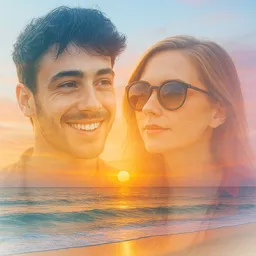
Blend, merge, and create stunning photos effortlessly with our Photo Blender app
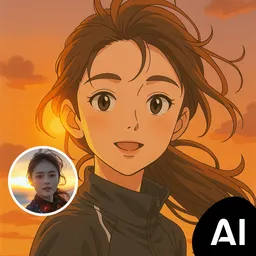
AI photo editor for stunning results, explore artistic filters & effects

All-in-one AI photo editor: enhancer, generator, remove bg & objects, filters
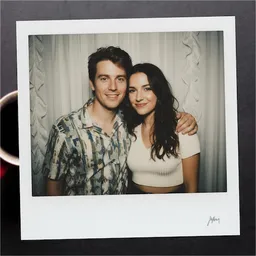
Edit photos with the picture generator: PS2 & AI Clay filters, cartoon effects.