Loading app
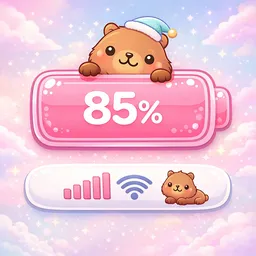
Transform your battery icon and status bar with Emoji Battery Icon Customize. This app allows you to replace the default battery icon with emojis, stickers, and aesthetic designs that reflect your personal style. With options for animations and themes, you can make your device uniquely yours.
Default battery icons can feel bland and uninspiring. This app solves that problem by allowing you to customize your battery icon with a wide selection of emojis and stickers. Users looking to add a personal touch to their devices will find this tool particularly appealing, as it brings fun and creativity to a typically utilitarian feature.
Emoji Battery Icon Customize is free to download and use. It does require Accessibility Permission for full functionality. This permission is strictly for visual purposes, ensuring your customized icons display correctly, without collecting personal data or tracking user activity. You can control this permission and enable or disable it as needed.
The app supports phones, Chromebooks, and tablets. You can customize the battery icon and status bar appearance across these devices. Each type maintains similar functionality, allowing for a consistent user experience regardless of which Android device you use.
The app utilizes Accessibility Permission to display customized battery icons and support visual features. This permission is necessary for the app to function correctly but is not used for data collection. You can rest assured that your personal information remains private, as the app does not track user activity.
One of the main functions of this app is the ability to select from a diverse array of battery icons. You can choose your favorite emojis or stickers to replace the default icon. Preview your selected designs in real time before applying them, ensuring the final look of your status bar meets your expectations.
Another standout feature is the ability to add animations to your battery icon. You can set animations for different battery states, such as charging or low battery. This enhances not just the visual appeal but also provides functional feedback about your battery status.
Yes, the app is free to download and use, with optional in-app purchases available.
The app supports phones, Chromebooks, and tablets, providing a consistent experience across all these devices.
Yes, once installed, the app does not require an internet connection to customize your battery icon and status bar.
It requires Accessibility Permission to display customized battery icons and support visual features, but does not collect personal data.
You can select your favorite emoji or sticker from the app's library and preview changes in real time before applying them.
No release notes were provided for this version of Emoji Battery Icon Customize. You are viewing the most recent release available.
Released Jul 21, 2026
Not sure what a permission allows? Learn what these mean.

Emoji Maker app - Design custom emojis and effortlessly blend them with Mixer